AI coding tools have changed how software is built.
A founder can describe an idea and generate database migrations, API endpoints, dashboards, authentication systems, payment integrations, tests, and deployment configurations without writing every line manually.
This creates the impression that building software with AI should be simple:
- Describe the entire application.
- Ask AI to build it.
- Wait for the finished product.
In practice, this approach usually produces unstable architecture, incomplete features, duplicated code, broken integrations, and hours of debugging.
The problem is not that the AI model is incapable of writing good code. The problem is that software development is too complex to be handled reliably as one enormous instruction.
AI development works much better when the project is divided into clear phases, small tasks, and structured prompts. Each prompt should give the AI enough context to complete one specific objective without forcing it to understand the entire application at once.
This is the difference between asking AI to improvise a complete product and giving it a professional development plan.
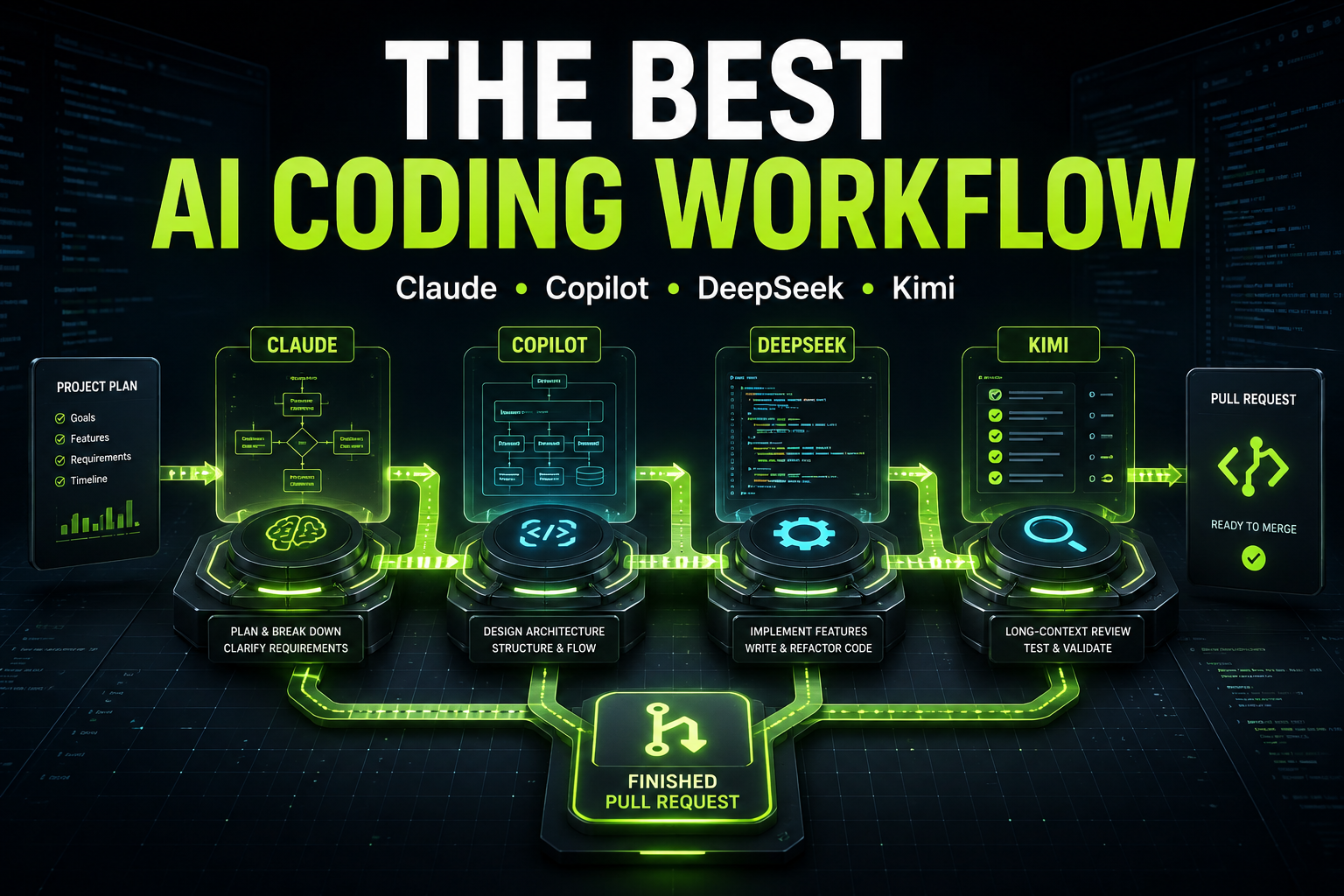
Tools such as Vibe Code Planner are designed around this principle. Instead of sending one vague project request to an AI coding agent, the platform converts the idea into ordered development tasks, classifies their complexity, generates focused prompts, recommends an appropriate AI model, and organizes execution through a Kanban workflow.
The One Big Prompt Approach
Imagine that you want to create a SaaS platform for personal trainers.
You may open Cursor, Claude Code, ChatGPT, or another AI development tool and enter a prompt like this:
Build a complete SaaS platform for personal trainers using Laravel and Vue.

The system should have registration, subscriptions, trainer profiles, client management, bookings, payments, workout plans, meal plans, notifications, analytics, an admin panel, API documentation, tests, and deployment configuration.

Use clean architecture, make it secure, and create a modern responsive interface.
The prompt looks detailed, but it contains dozens of major development decisions.
The AI must decide:
- How users and trainers are related
- Whether clients have separate accounts
- How roles and permissions work
- How subscription limits are enforced
- How bookings handle time zones and availability
- How payments, refunds, and failed transactions work
- How workout plans are structured
- How notifications are delivered
- Which actions require queues
- Which database indexes are necessary
- How the frontend communicates with the backend
- How the application should be tested
- How deployment should work
Even a senior development team would not implement all of these systems from a single paragraph.
The AI begins making assumptions. Some assumptions may be correct, but others will conflict with decisions made later.
It may create a users table with a simple role column, then later introduce a separate permissions package. It may store bookings without time-zone information, then discover that trainer availability requires time-zone conversion. It may create subscription logic directly inside controllers, then introduce service classes after payment logic becomes more complicated.
The result may look impressive during the first hour. There are many generated files, routes, components, and migrations.
However, the project becomes increasingly difficult to maintain.
Why One Giant Prompt Fails
The AI Must Solve Too Many Problems Simultaneously
A large application is not one problem. It is a collection of connected problems.
Authentication is one problem. Billing is another. Booking availability is another. Notifications, permissions, reporting, and deployment are separate problems as well.
When they are placed inside one prompt, the AI must allocate attention across all of them. Important requirements receive less focus because they compete for the same context.
The AI may successfully generate the visible parts of the system while ignoring less obvious requirements such as:
- Database constraints
- Authorization policies
- Validation edge cases
- Failed payment handling
- Race conditions
- Queue retries
- Idempotent webhooks
- Audit logs
- API rate limits
- Data deletion rules
A structured task allows the model to focus on one problem deeply instead of touching twenty problems superficially.
The Context Becomes Overloaded
AI models operate within limited context windows.
When you provide the complete project description, existing code, errors, previous decisions, and new feature requirements in one conversation, the context becomes crowded.
Older instructions may receive less attention. The model may forget naming conventions or architecture decisions. It may recreate functionality that already exists or modify unrelated files.
Vibe Code Planner addresses this by dividing projects into tasks designed to fit inside manageable AI context windows instead of repeatedly dumping the whole project into one conversation.
Architectural Mistakes Are Discovered Too Late
A major weakness of the one-prompt approach is that architecture is often created while features are already being implemented.
Suppose the AI builds controllers, Vue components, and API routes before defining how organizations, trainers, and clients should be related.
After several features are completed, you realize that one trainer can work for multiple organizations.
The original database structure assumed that every trainer belonged to only one organization.
Now the AI must change:
- Database relationships
- Queries
- Authorization rules
- Subscription limits
- Dashboard filters
- API responses
- Existing tests
- Seeders and factories
A decision that could have been resolved during planning becomes a large refactoring task.
The AI Cannot Verify What “Complete” Means
The phrase “build the complete application” does not define completion.
Does complete authentication include:
- Email verification?
- Password reset?
- Two-factor authentication?
- Social login?
- Session management?
- Login throttling?
- Device history?
- Account deletion?
Does complete billing include:
- Monthly and yearly subscriptions?
- Trials?
- Coupons?
- Failed payments?
- Subscription upgrades?
- Downgrades?
- Proration?
- Refunds?
- Invoice downloads?
- Webhook retries?
Without acceptance criteria, the AI chooses its own interpretation of “complete.”
A structured plan replaces vague completion with measurable outcomes.
The Step-by-Step Development Approach
A better workflow separates planning from implementation.
The process begins with the product idea, but the idea is not sent directly to an AI agent as a request to generate the entire project.
Instead, it is transformed into:
- Product requirements
- Technical architecture
- Development phases
- Individual tasks
- Acceptance criteria
- Focused implementation prompts
- Testing and review tasks
The AI works on one task at a time. Each completed task creates a stable foundation for the next task.
This is similar to how experienced development teams work. A team does not tell a developer to “build the platform.” It creates tickets with specific requirements, dependencies, and definitions of completion.
Direct Comparison
One Big Prompt
The input is broad:
Create an online marketplace with sellers, products, orders, Stripe payments,
reviews, messaging, notifications, analytics, and an admin dashboard.
The AI controls most architectural decisions. Requirements are interpreted during implementation. Features are generated in parallel without clearly defined dependencies.
The initial output is fast, but debugging and refactoring increase as the project grows.
Structured Development
The same project is divided into phases:
Phase 1: Define marketplace roles and database architecture
Phase 2: Implement authentication and seller onboarding
Phase 3: Implement product and inventory management
Phase 4: Implement cart and checkout
Phase 5: Implement Stripe Connect payments
Phase 6: Implement order management
Phase 7: Implement reviews and messaging
Phase 8: Implement notifications
Phase 9: Implement analytics and administration
Phase 10: Add automated tests and deployment
Each phase contains smaller tasks.
For example, the checkout phase may contain:
Task 1: Create cart database structure
Task 2: Add cart service
Task 3: Implement product availability validation
Task 4: Calculate taxes, fees, and totals
Task 5: Create checkout API endpoint
Task 6: Add idempotency protection
Task 7: Create checkout interface
Task 8: Add checkout tests
Now the AI knows what it is building, why it is building it, and what must already exist.
Case One: Building SaaS Authentication and Billing
Consider a team building a project-management SaaS.
Using One Large Prompt
The founder asks:
Build authentication and Stripe subscriptions for my Laravel SaaS.
Users should register, select a plan, pay, manage their subscription,
invite team members, and have usage limits based on their plan.
The AI may immediately generate:
- Registration pages
- Stripe checkout
- Subscription controllers
- Team invitations
- Middleware for plan limits
- Billing settings
The first demo may work, but important questions remain unresolved.
Is the subscription connected to the individual user or the team?
Can a user belong to multiple teams?
Who can change the subscription?
What happens to invited members when a subscription is cancelled?
How are usage limits calculated?
What happens when a payment fails?
Does a downgrade apply immediately or at the end of the billing period?
These are architectural questions. They should be answered before controllers and interfaces are generated.
Using a Structured Plan
The project begins with a planning task.
Task 1: Define Account and Subscription Ownership
You are designing the account architecture for a Laravel SaaS application.

Requirements:

- Users can create organizations.
- Users can belong to multiple organizations.
- Each organization has one owner.
- The organization owns the Stripe subscription.
- Subscription limits apply to the organization, not individual users.
- An organization can invite members.
- Only owners can manage billing.

Produce:

1. Recommended database tables and relationships.
2. Laravel model relationships.
3. Required unique indexes and foreign keys.
4. Authorization rules.
5. Important edge cases.
6. Do not write controllers or frontend code yet.
This prompt has one objective: establish the foundation.
Task 2: Create Database Migrations and Models
Implement the approved organization and membership architecture in Laravel.

Existing decisions:

- Organizations own subscriptions.
- Users may belong to multiple organizations.
- Memberships include owner, admin, and member roles.
- Only one owner is allowed per organization.

Create:

- Migrations
- Models
- Relationships
- Factories
- Seeders
- Database constraints

Do not implement Stripe billing yet.

Acceptance criteria:

- A user can belong to multiple organizations.
- An organization cannot have more than one owner.
- Deleting a user must not accidentally delete an organization owned by another user.
- Tests must verify all relationships and constraints.
Task 3: Implement Stripe Checkout
Add Stripe subscription checkout for organizations.

Current architecture:

- The Organization model is the billable entity.
- Only the organization owner may start checkout.
- Plan identifiers are stored in configuration.
- Billing logic must be placed in a dedicated service.

Implement:

- Checkout session creation
- Success and cancellation routes
- Authorization
- Billing service
- Request validation
- Feature tests

Do not implement plan limits or the billing portal in this task.
Each prompt extends an approved architecture. The AI is not required to invent the entire system repeatedly.
The result is slower during the first few tasks but considerably faster across the complete project because major refactoring is avoided.
Case Two: Building a Booking System
Booking systems appear simple until real scheduling rules are introduced.
A single prompt might say:
Build a booking platform where customers can book appointments with service providers.
The AI may generate a booking table with:
- user_id
- provider_id
- start_time
- end_time
- status
That structure is not necessarily wrong, but it does not solve the actual scheduling problem.
The system still needs to define:
- Provider working hours
- Breaks
- Holidays
- Time zones
- Appointment duration
- Preparation time
- Cleanup buffers
- Recurring availability
- Overlapping bookings
- Group sessions
- Booking cancellation rules
- Rescheduling
- Capacity
- Daylight-saving changes
A Better Planning Sequence
The first task should define the booking rules rather than generate code.
Design the scheduling rules for a multi-provider booking platform.

Requirements:

- Providers define weekly recurring availability.
- Providers can block specific dates.
- Services have different durations.
- Services may require preparation and cleanup buffers.
- Customers and providers may use different time zones.
- Double booking must be prevented.
- Some services allow up to five customers per time slot.
- Appointments can be rescheduled or cancelled.

Produce:

1. Domain entities.
2. Database design.
3. Slot-generation algorithm.
4. Time-zone strategy.
5. Concurrency strategy.
6. Cancellation and rescheduling rules.
7. Edge cases that require tests.

Do not generate application code yet.
Once these decisions are approved, implementation can be divided into availability, slot calculation, booking creation, concurrency protection, cancellation, and frontend tasks.
This prevents the AI from creating a simple calendar interface before the scheduling engine is properly designed.
Case Three: Adding AI Document Analysis
Imagine a platform where users upload contracts and receive an AI-generated risk analysis.
A large prompt may request:
Create a system where users upload PDF contracts and AI analyses them,
extracts clauses, detects risks, creates summaries, and generates reports.
The AI may build an upload form and immediately send the entire document to an AI provider.
However, production requirements are more complicated:
- Large files may exceed model limits.
- Some PDFs contain scanned images.
- Sensitive documents require secure storage.
- Processing may take several minutes.
- Failed jobs require retries.
- Duplicate uploads should not be processed repeatedly.
- Extracted text must be connected to page numbers.
- Analysis results need versioning.
- Users need processing status.
- Model output must be validated before storage.
Structured Implementation
A good plan separates the pipeline:
- Secure file upload
- File validation
- Text extraction
- OCR fallback
- Document chunking
- Background processing
- AI analysis
- Structured-output validation
- Result aggregation
- Report generation
- Error recovery
- Automated tests
A prompt for the processing architecture may look like this:
Design an asynchronous contract-analysis pipeline for Laravel.

Requirements:

- Users upload PDF files up to 50 MB.
- Files are stored privately.
- Text-based PDFs use direct extraction.
- Scanned PDFs require OCR.
- Documents must be divided into chunks with page references.
- Each chunk is analysed independently.
- AI responses must use a strict JSON schema.
- Failed chunks may be retried without restarting the whole document.
- Users can see queued, processing, completed, and failed statuses.

Produce:

1. Processing stages.
2. Queue jobs and responsibilities.
3. Database tables.
4. Retry and failure strategy.
5. Idempotency strategy.
6. Security considerations.
7. Observability requirements.

Do not implement the user interface.
This creates a reliable pipeline before the AI starts producing controllers and dashboard components.
Why Structured Prompts Produce Better Code
Each Prompt Has One Clear Objective
A strong prompt should describe one task, not an entire product.
The model can concentrate on the relevant architecture, files, constraints, and edge cases.
Instead of asking:
Build the customer management system.
Ask:
Create the database layer for customer profiles and addresses.
Do not create controllers or frontend components.
The reduced scope improves consistency.
Dependencies Are Explicit
Tasks should explain what already exists and what the new code may depend on.
For example:
The application already has authentication using Laravel Fortify.
Do not replace or modify the authentication system.

The User model already has an organization relationship.
Use the existing relationship rather than creating a second organization_id column.
Without this context, AI frequently rebuilds existing functionality.
Acceptance Criteria Define Completion
Every implementation prompt should explain how success will be verified.
Weak requirement:
Add file uploads.
Better requirement:
Acceptance criteria:

- Only PDF and DOCX files are accepted.
- Maximum file size is 20 MB.
- Files are stored on the private disk.
- Generated names must not expose the original filename.
- Unauthorized users cannot access another organization's files.
- Validation errors are shown in the interface.
- Feature tests cover valid upload, invalid type, excessive size, and unauthorized access.
The AI now has a testable definition of completion.
Exclusions Prevent Unnecessary Changes
A useful prompt states what should not be changed.
Do not modify the current authentication flow.
Do not install a new frontend framework.
Do not rename existing database columns.
Do not refactor unrelated controllers.
Do not change API response formats outside this feature.
These boundaries reduce unintended damage to the codebase.
A Practical Step-by-Step AI Development Workflow
Step 1: Describe the Product
Begin with a plain-language description.
Explain:
- Who will use the product
- Which problem it solves
- What the main workflow is
- Which features are essential
- Which features can wait
- Which technology stack is preferred
- Which external services are required
At this stage, avoid asking the AI to write code.
Example:
I want to build a Laravel and Vue platform for small childcare centers.

The platform will manage children, parents, attendance, monthly fees,
payments, staff members, and notifications.

Each child may have multiple parents or guardians.
Different families may pay different monthly prices.
Children are marked as present by default each working day.
Staff only need to mark children who are absent.

The first version should support one childcare center per account.
Stripe payments and a mobile application are not required for the first version.
This creates a clear product boundary.
Step 2: Generate the Product Requirements
Ask AI to convert the idea into structured requirements.
Convert this product description into a Product Requirements Document.

Include:

- Product objective
- User roles
- Core workflows
- Functional requirements
- Non-functional requirements
- Data entities
- Permissions
- Edge cases
- MVP scope
- Features excluded from the MVP
- Acceptance criteria

Do not generate code.
Identify any requirements that are ambiguous.
The resulting PRD becomes the reference point for future tasks.
Vibe Code Planner can generate and export structured project requirements, including development tasks and a shareable PRD, helping developers and stakeholders remain aligned before implementation begins.
Step 3: Define the Technical Architecture
The next prompt should focus only on technical decisions.
Based on the approved Product Requirements Document, design the technical architecture.

Stack:

- Laravel
- Vue
- MySQL
- Redis queues
- Tailwind CSS

Provide:

- Application modules
- Database entities and relationships
- Service layer responsibilities
- Authorization strategy
- Queue jobs
- Events and notifications
- API structure
- Testing strategy
- Security requirements
- Deployment requirements

Do not write implementation code.
This step prevents major technical decisions from being made accidentally during feature generation.
Step 4: Divide the Project Into Milestones
A milestone should represent a usable stage of the project.
For example:
Milestone 1: Project setup and authentication
Milestone 2: Child and guardian management
Milestone 3: Attendance management
Milestone 4: Monthly fees and payment tracking
Milestone 5: Staff permissions
Milestone 6: Notifications and reports
Milestone 7: Testing, security, and deployment
The milestones should follow dependency order.
Payment tracking should not be implemented before families, children, and pricing rules exist.
Step 5: Divide Milestones Into Small Tasks
Each milestone should contain tasks that can be implemented and reviewed independently.
The attendance milestone could contain:
1. Create attendance database structure
2. Create daily attendance initialization service
3. Implement absence marking endpoint
4. Implement attendance correction permissions
5. Create daily attendance interface
6. Create monthly attendance report
7. Add attendance tests
8. Add queue job for daily record creation
A task should normally produce one coherent change that can be committed separately.
Step 6: Generate a Structured Prompt for Every Task
A useful implementation prompt includes:
- Role
- Objective
- Existing context
- Requirements
- Technical constraints
- Files that may be changed
- Files that should not be changed
- Acceptance criteria
- Required tests
- Expected output
Example:
Act as a senior Laravel developer.

Objective:
Implement the service that initializes daily attendance records.

Existing context:

- Child records already exist.
- Each child has active_from and optional inactive_from dates.
- Attendance statuses are present, absent, excused, and holiday.
- Children are considered present by default.
- Staff only mark exceptions.

Requirements:

- Create one attendance record per active child for each working day.
- The default status is present.
- Do not create records for weekends.
- Do not create duplicate records.
- The service must be safe to run multiple times.
- Provide an Artisan command that accepts an optional date.
- Dispatch the command from the scheduler every morning.
- Use a database transaction.

Technical constraints:

- Laravel service classes must contain business logic.
- Commands should only validate input and call the service.
- Use CarbonImmutable for date operations.
- Do not place business logic in models.

Acceptance criteria:

- Running the command twice creates no duplicates.
- Inactive children are excluded.
- Weekend execution creates no records.
- A manually supplied date is supported.
- Unit and feature tests are included.

Do not modify:

- Authentication
- Guardian management
- Payment functionality

Return:

1. List of changed files.
2. Complete code changes.
3. Commands needed to run migrations and tests.
4. Any assumptions made.
This prompt gives the AI enough information to complete the task without giving it permission to redesign the entire project.
Step 7: Review Before Continuing
Do not immediately accept every generated change.
Review:
- Does the code follow the approved architecture?
- Did the AI modify unrelated files?
- Are database constraints present?
- Is authorization enforced?
- Are errors handled?
- Are tests meaningful?
- Are assumptions documented?
- Does the task satisfy every acceptance criterion?
Only continue after the current task is stable.
A weak foundation becomes more expensive with every feature added on top of it.
Step 8: Commit Each Completed Task
Each task should have its own branch or commit.
For example:
feature/create-attendance-schema
feature/initialize-daily-attendance
feature/mark-child-absence
feature/monthly-attendance-report
Small commits make it easier to:
- Review AI-generated code
- Revert incorrect changes
- Identify regressions
- Open focused pull requests
- Continue development with another AI model or developer
Vibe Code Planner includes GitHub workflow support for branch creation, commits, pull requests, and task completion, connecting the planning process with actual code delivery.
Step 9: Test the Integration Between Features
Individual tasks may work while the complete workflow still fails.
After completing a milestone, create an integration task.
Review the complete attendance workflow.

Test this scenario:

1. An administrator creates a child.
2. The child is active from Monday.
3. Daily attendance records are generated.
4. Staff mark the child absent on Tuesday.
5. A manager changes the status to excused.
6. The monthly report shows the correct totals.
7. An unauthorized staff member cannot edit previous months.

Identify integration problems, missing validation, incorrect permissions,
query-performance issues, and untested edge cases.

Do not add new product features.
This prompt asks AI to verify the system rather than continue expanding it.
Step 10: Maintain a Project Context Document
AI performs better when important decisions are stored outside individual conversations.
The context document should contain:
- Technology stack
- Architecture rules
- Naming conventions
- Database decisions
- Authorization rules
- API conventions
- Completed milestones
- Known limitations
- External services
- Important commands
Example:
Project rule:
Organizations own all business data.

Project rule:
Controllers must not contain billing or scheduling business logic.

Project rule:
API responses use the existing ApiResponse helper.

Project rule:
All organization-specific queries must include organization scope.

Project rule:
Money is stored as integer cents.

Project rule:
Dates are stored in UTC and converted only at the presentation layer.
This prevents the AI from reinterpreting the architecture every time a new conversation starts.
Vibe Code Planner provides persistent project context, structured task management, model recommendations, and editor integrations for Cursor and VS Code, allowing the plan to remain connected to the implementation workflow.
Using Different AI Models for Different Tasks
Not every development task requires the most expensive model.
Architecture, security, and complicated business logic benefit from stronger reasoning models. Repetitive CRUD operations, configuration files, test generation, and documentation may be handled by less expensive models.
A structured project makes this possible because every task has a known complexity and scope.
For example:
Architecture design: advanced reasoning model
Authentication security review: advanced reasoning model
CRUD endpoints: lower-cost coding model
Factories and seeders: lower-cost coding model
Unit tests: lower-cost coding model
Documentation: general-purpose model
Complex bug investigation: advanced reasoning model
When the complete project is placed inside one enormous prompt, every part is processed by the same model at the same price.
Vibe Code Planner classifies tasks by complexity and recommends different models for architecture, implementation, boilerplate, and testing. The platform also provides estimated task costs before execution.
The benefit is not only lower cost. The development workflow becomes more deliberate.
You know which task is being executed, which model is responsible for it, what the expected result is, and how the output will be validated.
When a Large Prompt Is Still Useful
Large prompts are not always wrong.
They are useful for:
- Explaining the initial product idea
- Generating a first project outline
- Creating a high-level architecture proposal
- Reviewing an entire feature after implementation
- Identifying missing requirements
- Producing a project summary
- Comparing technical approaches
The mistake is using the large prompt as the implementation command.
A broad prompt should produce a plan, not an entire production application.
The correct sequence is:
Large idea prompt
        ↓
Requirements
        ↓
Architecture
        ↓
Milestones
        ↓
Small tasks
        ↓
Structured prompts
        ↓
Implementation
        ↓
Tests and review
The Real Speed Advantage
One-prompt development feels fast because many files appear immediately.
Structured development may feel slower during the first planning stage because no visible interface has been generated yet.
However, development speed should not be measured by how quickly files are created.
It should be measured by how quickly a reliable feature reaches production.
The one-prompt workflow often follows this pattern:
Generate everything
Fix authentication
Rewrite database structure
Repair frontend state
Fix authorization
Rewrite billing
Repair tests
Discover architecture problem
Refactor multiple features
The structured workflow follows a different pattern:
Approve requirements
Approve architecture
Implement foundation
Test foundation
Implement one feature
Review and commit
Implement next feature
Run integration tests
Deploy
The second process generates less impressive output during the first few minutes, but it creates fewer contradictions and requires less rework.
How Vibe Code Planner Supports Structured AI Development
Vibe Code Planner is built for developers, founders, agencies, and AI-assisted builders who want to move beyond unstructured chat-based development.
You start by describing the project in plain language. The platform transforms the idea into an ordered execution plan with milestones and development tasks.
Each task can include:
- A defined objective
- Complexity classification
- Recommended AI model
- Estimated execution cost
- Structured implementation prompt
- Position in the project workflow
- Kanban status
- Project context
- GitHub execution workflow
The platform supports more than 50 technology stacks, including Laravel, React, Vue, Next.js, and Python. It also provides integrations for GitHub, Cursor, VS Code, AI providers, REST APIs, and MCP workflows.
Instead of repeatedly explaining the entire product to an AI assistant, you work from a reusable development plan.
The plan becomes the bridge between your product idea and the generated code.
Final Conclusion
AI can write code quickly, but fast code generation is not the same as fast product development.
A single massive prompt forces the AI to make too many decisions simultaneously. It increases context overload, hides architectural assumptions, produces inconsistent implementation, and makes completion difficult to measure.
A structured development workflow gives AI the same advantages that human developers receive from professional project management:
- Clear requirements
- Defined architecture
- Ordered dependencies
- Small tasks
- Focused context
- Acceptance criteria
- Testing requirements
- Reviewable commits
The best way to use AI for development is not to ask it to build everything at once.
Use AI first as a planner. Then use it as an architect. After the architecture is approved, use it as a developer for one controlled task at a time. Finally, use it as a reviewer and tester.
This approach creates better code, reduces wasted tokens, prevents repeated rewrites, and makes it easier to move from an idea to a production-ready application.
To turn your next product idea into a structured development plan with milestones, focused prompts, model recommendations, cost estimates, Kanban management, and GitHub execution, create your project with Vibe Code Planner.